Introduction
Managing a busy schedule can become difficult when work meetings, personal plans, and group activities are spread across different devices. A change to an event may need to reach several people quickly, and outdated calendar information can lead to missed appointments or confusion. A reliable calendar-sharing app can make daily planning easier by keeping schedules organized and helping people stay informed. lexcv.cal is designed to support this need with real-time calendar sharing, flexible permissions, reminders, and a clean user interface.
lexcv.cal is available for Android, Linux, and Windows, giving users several ways to access their schedules. Its calendar-sharing features allow people to share calendars with different users while setting permissions according to their needs. The app also offers multiple calendar views, themes, language options, repeating events, and personal and group reminders. Whether you are organizing your daily routine, coordinating with colleagues, or managing family plans, lexcv.cal provides practical tools to make scheduling more convenient across supported devices.
Understanding How lexcv.cal Supports Real-Time Sharing
Calendar sharing becomes more useful when everyone involved can access the information they need without repeatedly sending updates. lexcv.cal is designed to let users share their calendars in real time, helping people coordinate schedules and stay informed about planned activities. Instead of relying only on separate messages or manually updated lists, users can work with shared calendar information in one place. This approach can reduce confusion when several people need to follow the same schedule, such as a team planning meetings or a group organizing upcoming events. To explore the app’s available features, visit lexcv.cal.
Real-time calendar sharing is especially helpful when plans change during the day. For example, a team member may need to update a meeting time, or a family may want to coordinate an important appointment. Shared calendar access can make these changes easier to communicate, depending on the app’s sharing and synchronization behavior. lexcv.cal also supports different permission levels for different users, allowing calendar owners to control how others interact with shared schedules. By combining shared access with permission settings, the app offers a more organized approach to managing information across personal and group calendars.
Manage Calendar Permissions for Better Control
Sharing a calendar does not always mean giving every person the same level of access. Some users may only need to view upcoming events, while others may need greater control to help manage a shared schedule. lexcv.cal addresses this need by offering varying permissions for different users. This feature can be useful for households, work groups, and other situations where several people need calendar access but have different responsibilities. A clear permission structure helps users organize collaboration while maintaining appropriate control over their schedules. Android users can download lexcv.cal from the Google Play Store to explore the available calendar tools.
When setting up a shared calendar, it is helpful to think about who needs access and what they need to do. For instance, a person coordinating a group activity may need more control than someone who only needs to check the event time. With lexcv.cal, users can assign permissions based on their sharing requirements and keep calendar access aligned with each person’s role. Users should review available permission options within the app to understand exactly what each setting allows. This simple planning step can help prevent unwanted changes and make shared scheduling easier to manage as a group grows.
Access Your Calendar Across Supported Devices
People often switch between computers and mobile devices throughout the day. They may check appointments on a phone while traveling, then use a desktop computer to organize a longer schedule. A calendar app that supports multiple platforms can make this routine more convenient by providing access through the devices people already use. lexcv.cal is currently available for Android, Linux, and Windows. This platform support gives users flexibility when choosing how to view and manage their schedules at home, at work, or while moving between tasks.
Android users can download the app through the Google Play Store, while desktop versions are available from the official lexcv.cal website. The iOS app is currently in development, so iPhone and iPad users should check the official website for future availability. Before relying on cross-device synchronization for important events, make sure your devices are configured correctly and confirm that shared calendar changes appear as expected.
Personalize Your Scheduling Experience With Flexible Features
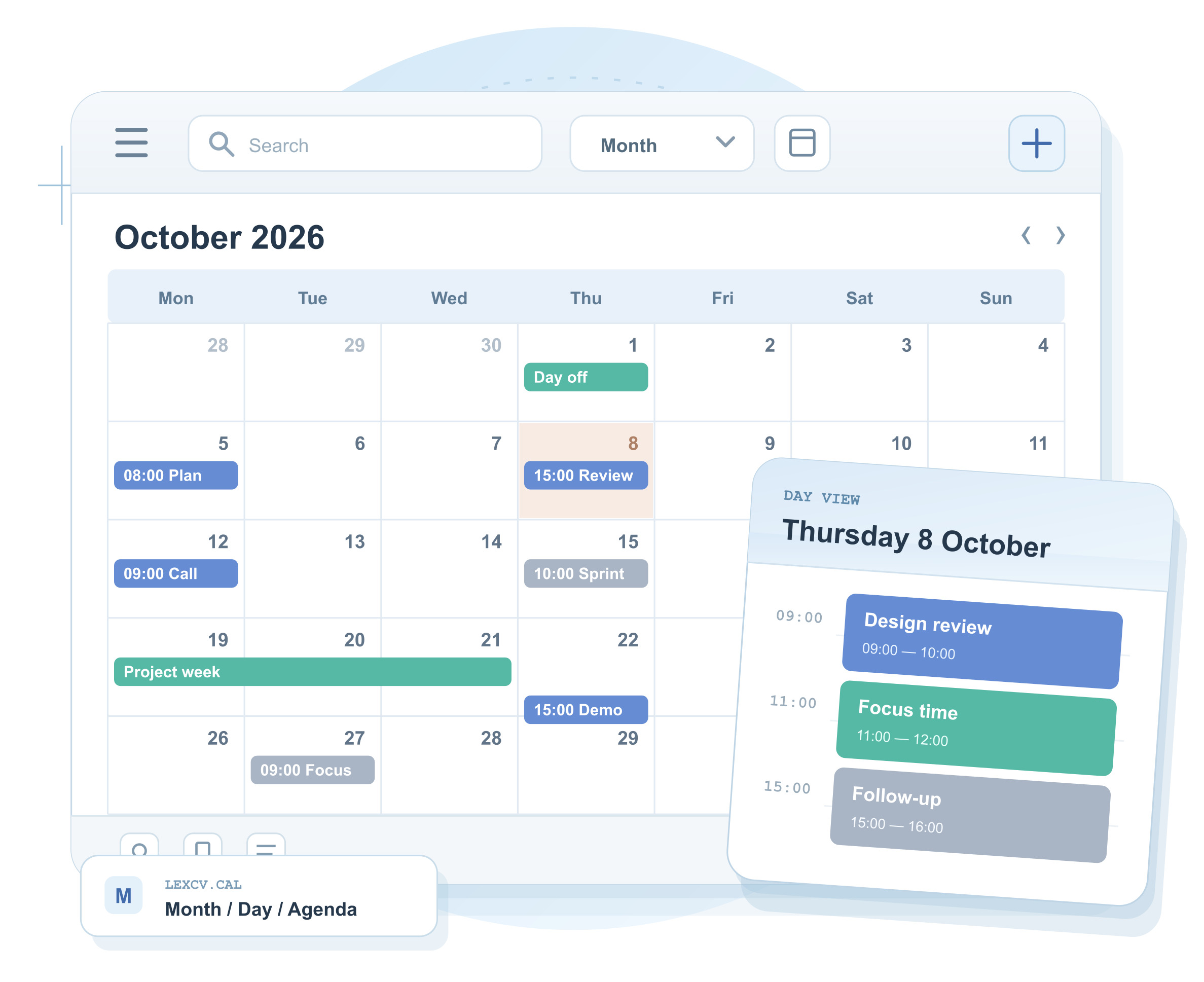
A useful calendar should make information easy to read and manage. Different people prefer different layouts, colors, and ways of viewing their schedules. lexcv.cal includes a clean user interface, multiple themes, language options, and different calendar views to support a more personalized experience. These features allow users to choose a presentation that suits their preferences and makes daily planning easier to follow. A clear layout can also help people distinguish between personal commitments, work meetings, and group activities without making their calendar feel cluttered.
lexcv.cal also supports personal reminders, group reminders, and repeating events. Reminders can help users keep track of upcoming appointments, while group reminders can support coordination when multiple people need to remember a shared activity. Repeating events are useful for regular meetings, weekly tasks, recurring appointments, or other activities that follow a pattern. Rather than creating every occurrence separately, users can use recurring scheduling options where appropriate. Combined with the app’s different calendar views, these tools can make it easier to maintain a consistent routine and keep important dates visible. As lexcv.cal develops further, additional features may expand the ways users can organize their time.
Improve Daily Planning for Work, Home, and Groups
Calendar management is not limited to business meetings. Students may need to track classes and study sessions, families may coordinate appointments and events, and small teams may need a shared view of upcoming deadlines. lexcv.cal’s sharing and reminder features can help these users organize activities in a more structured way. A shared calendar can provide a common reference point, while individual calendars can help people maintain their personal routines. The ability to assign different permissions also supports situations where some members manage events and others simply need to stay informed.
For the best results, begin by organizing your calendar around clear categories and adding accurate event details. Use reminders for important appointments, set repeating events for regular commitments, and share calendars only with the people who need access. Choose a calendar view and theme that make your schedule easy to understand, and review permission settings when group responsibilities change. lexcv.cal is designed with fast performance and a straightforward interface, helping users focus on their plans instead of navigating complicated menus. As with any scheduling tool, the most useful results come from consistent updates and a setup that reflects your everyday needs.
Conclusion
Real-time calendar sharing can make it easier to coordinate plans, manage appointments, and keep groups informed. lexcv.cal brings together shared schedules, different user permissions, personal and group reminders, repeating events, and customizable viewing options to support more organized time management. Its availability on Android, Linux, and Windows also gives users several ways to access their calendars, while the iOS version remains in development.
If you want a calendar app that supports collaboration as well as personal planning, lexcv.cal is worth exploring. By setting up shared calendars thoughtfully and making use of the available features, you can create a more convenient scheduling routine across your supported devices.

Humair is the founder of PeakMagzine.com and a seasoned digital strategist with over 15 years of SEO experience. He specializes in creating high-quality, optimized content that drives organic traffic, improves search rankings, and helps brands grow their online presence effectively.